

3·
2 years agoSamsung Galaxy S22.
What do you see in the popup menu when you long press on an editable text field, like in these comments?
Samsung Galaxy S22.
What do you see in the popup menu when you long press on an editable text field, like in these comments?
Maybe you need to enable Glide Typing in GBoard options or another setting I have turned on.
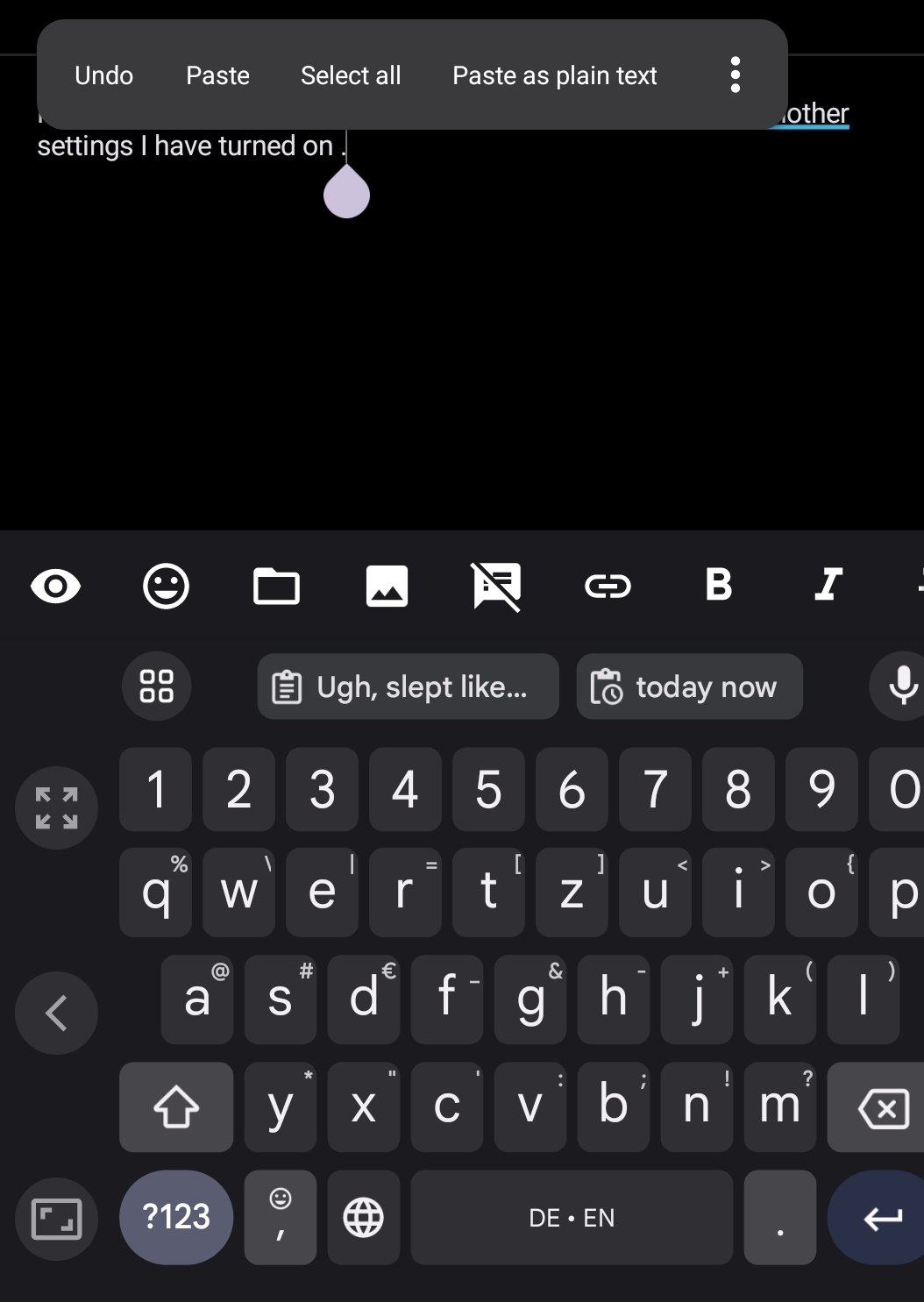
Undo has been available in the Alt Menu of GBoard for a while. Long press on an editable text field then select Undo in the popup alternative menu (sometimes you need to scroll over or tap the 3 dots to see the full menu choices)

Have you considered listing your services on Dumpling? https://www.dumpling.us/personal-delivery-tools/pdt-signup
All of three are close: 💬 💡 🧠 🤔
Also, The Thinker or an idea lightbulb with straight lines emanating out.
Thank you for sharing the Linguistics community. Subscribed!

Me too! It’s driving me crazy not having a quick way to search a community. When I have a community open, I expect the Search button to default to searching only that community. Instead, it seems like you’re expected to have to manually type out something long with the !blah@instance syntax. But I’m even guessing at this.
No 3 dots you can tap on on that menu to show all the options?